How to play
What is a Jev game? Four ways to play on CrazyJev
“Jev game” is not the name of one fixed game on CrazyJev. It describes several browser experiences built around Jev AI. You can watch it select furniture, run across rooftops, test your reaction time, or describe a group of objects and see what it selects.
The useful question is which activity you want to try. Some games put your hands on the controls. Others give you a task to describe and a process to watch. You do not need to understand the model's API to choose between them.
Pick a game by what you want to do
There are currently four entries in the collection:
| Game | Your part | Jev's part |
|---|---|---|
| Room Rush | Describe a room and inspect the finds | Browsing and product selection |
| Skyline Run | Move, jump and dash | Route choices in live mode |
| Reaction challenge | Respond after the area changes colour | Respond to the same round's signal |
| Thing Finder | Describe conditions and move objects | Select matches from a fixed collection |
Start with Room Rush if you want to watch a task unfold. Choose the reaction challenge for a short round with simple controls. Skyline Run suits players who enjoy platform movement. Thing Finder lets you explore without a countdown or a score.
Room Rush: give the search a clear purpose
Open Room Rush, choose a room, and add a brief. “A small living room with a reading lamp and a side table” is specific enough to judge later. You are describing what to look for, rather than writing a complicated prompt template.
The shopping phase has a 75-second limit. Connecting to the browser and checking the final finds may take additional time. During the search, the room's computer shows the live browsing session. You can follow the timer, action log and shopping list alongside it.
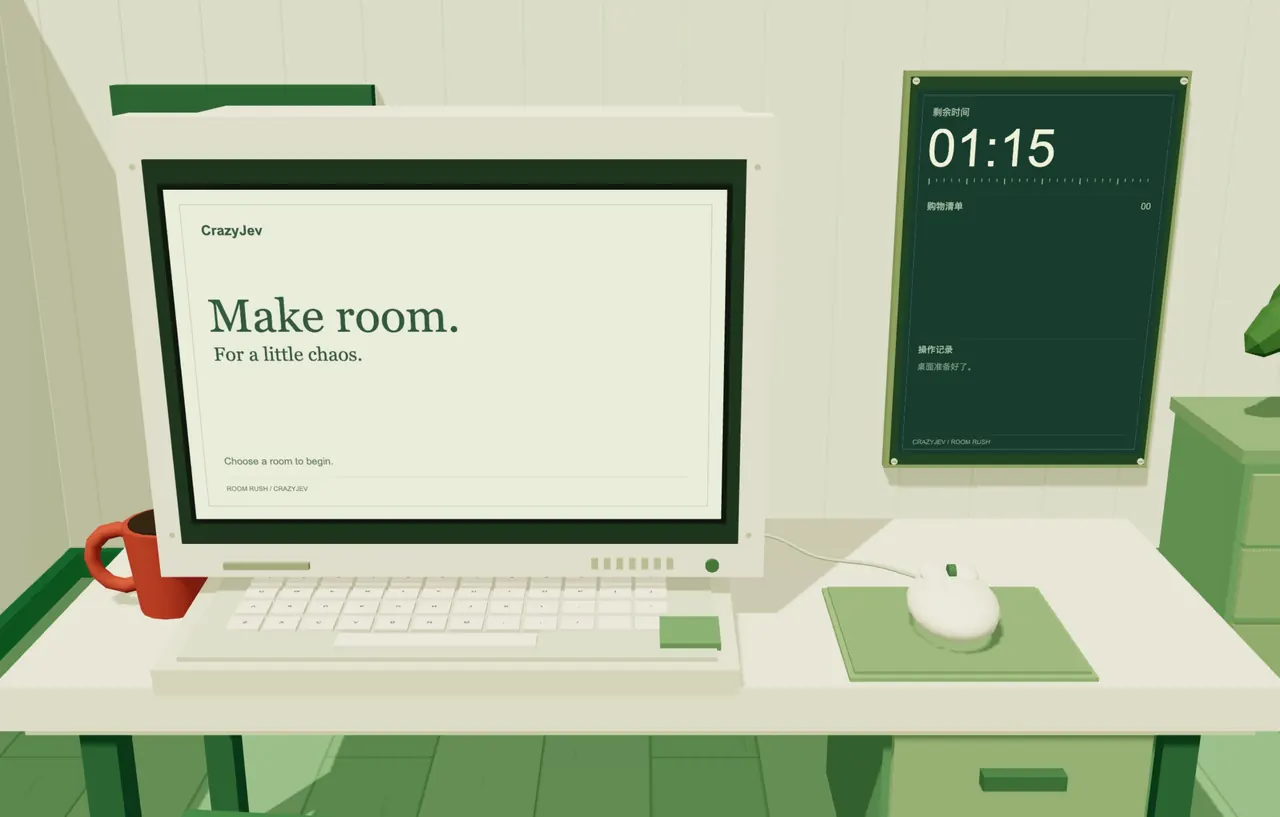
When the round finishes, inspect the products and receipt. If image generation is available, the finds can be used to create a room image. Treat that image as an arrangement idea. It cannot verify the real dimensions or exact appearance of every product.
Room Rush does not check out or pay. Its receipt is a list of suggestions, not proof of purchase. If something interests you, use the product link and confirm the store's current information yourself. A round may also end without useful finds.
Skyline Run: learn the movement first
Skyline Run is a pixel rooftop platform game. Campaign mode has four levels. Endless mode focuses on distance. Crates, patrolling enemies, fire hazards and moving platforms give you different things to deal with along the way.
On a keyboard, use the arrow keys or A and D to move. Space jumps; press again in the air for a second jump. Shift or X triggers a dash. On a phone, use the on-screen controls. Pause when you need to check the instructions rather than trying to read while moving.
Live Jev mode asks the model to choose later route types. The game builds the terrain from those choices. Practice generates routes locally and does not call Jev. Learning the movement in practice first makes the difference between those modes easier to notice.
A dash is useful, but it does not protect you from every hazard. Watch the fire warnings and the motion of platforms. In campaign mode, reaching a checkpoint gives you a place to resume after failure when that checkpoint is available.
Reaction challenge: wait for the signal
In the reaction challenge, wait until the active area changes colour. Then click, tap, or press Space or Enter. Acting before the signal counts as a false start, so a quick guess is not a valid reaction.
Your time measures the interval from the signal to your input. Jev's score uses the round's actual request time divided by 2, 4 or 8. A larger divisor makes Jev harder to beat. This is a scoring rule, not a measurement of one-way network latency or pure inference time.
Keep your device and difficulty setting the same when comparing your own rounds. Otherwise, the conditions have changed as well as the number on screen. Treat the result as a game score, not a scientific comparison between human and machine reactions.
Thing Finder: change a phrase and inspect the matches
Thing Finder has no timer or winning condition. Describe “winter clothing,” then add “without shoes.” Jev evaluates the same 104 emoji objects again. A completed search can show up to 24 selections.
You can drag and throw objects too. Those physical interactions happen locally and do not request another AI decision. The search stays inside the existing collection; it cannot return an object that is absent from it.
Common questions
Do I need prompt-writing experience?
No special template is needed. Movement and reaction games use controls. For the two description-based games, name a purpose or condition that you can check in the result.
What if Jev does not respond?
Follow the displayed state. Skyline Run lets you explicitly switch to practice. Other experiences provide the relevant retry flow. A failed request is not counted as a successful task or an AI victory.
Will another round be identical?
Do not assume it will. Choices, routes and service conditions can change. Return to the game collection and choose the activity you want to try again.